(25년 1월 31일 기준)
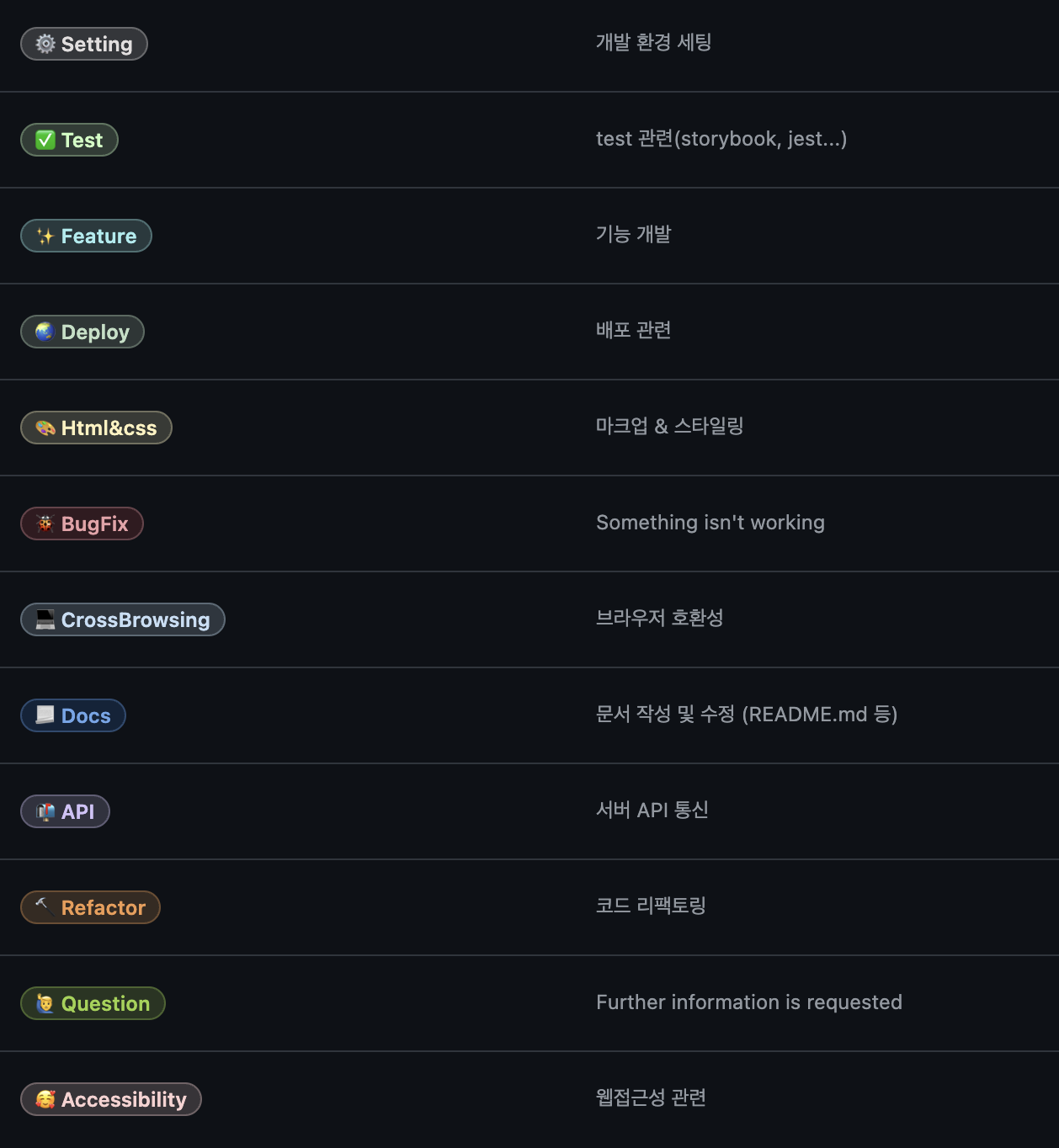
기존에 레포 새로 파고 프로젝트 할 때는 라벨을 일일히 등록해주었는데 이번에는 너무 귀찮아서 github api를 이용해서 한번에 등록해보았다!
1. Github API 설치하기
- 저는 npm이 패키지 설치하기 때문에 npm 으로 github api 설치하였음.
npm install -g github-label-sync
2. github access token 발급하기

깃허브 프로필 클릭 > Settings > Developer Settings > Personal access tokens(classic)
Fine-grained tokens 말고 Tokens(classic)으로 할 것!
처음에 Fine-grained로 했다가 403 에러가 계속 떠서 당황했음.
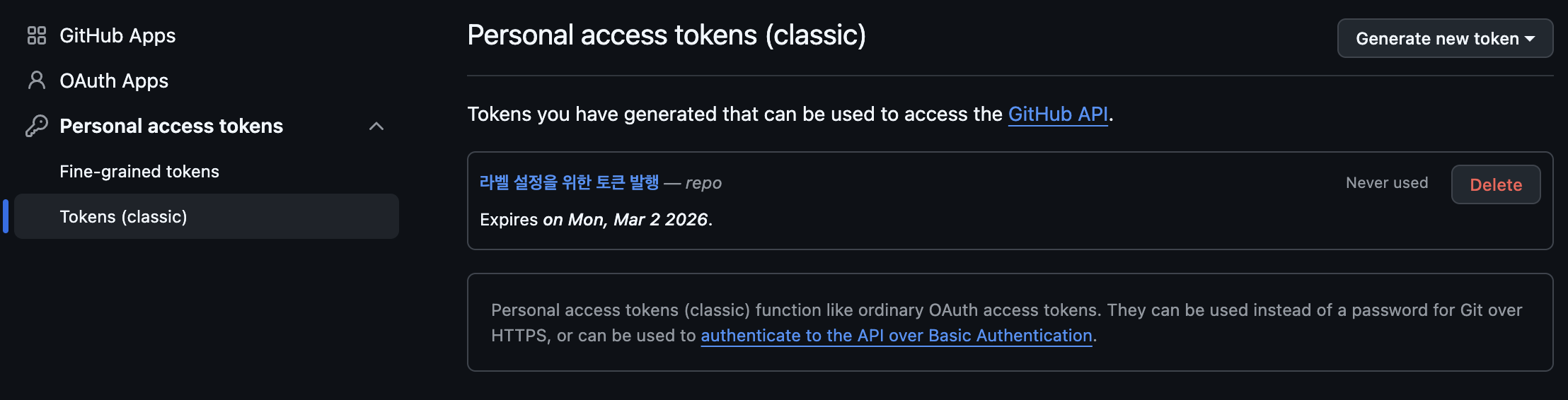
Generate new token 클릭 > Generate new token(classic) 클릭
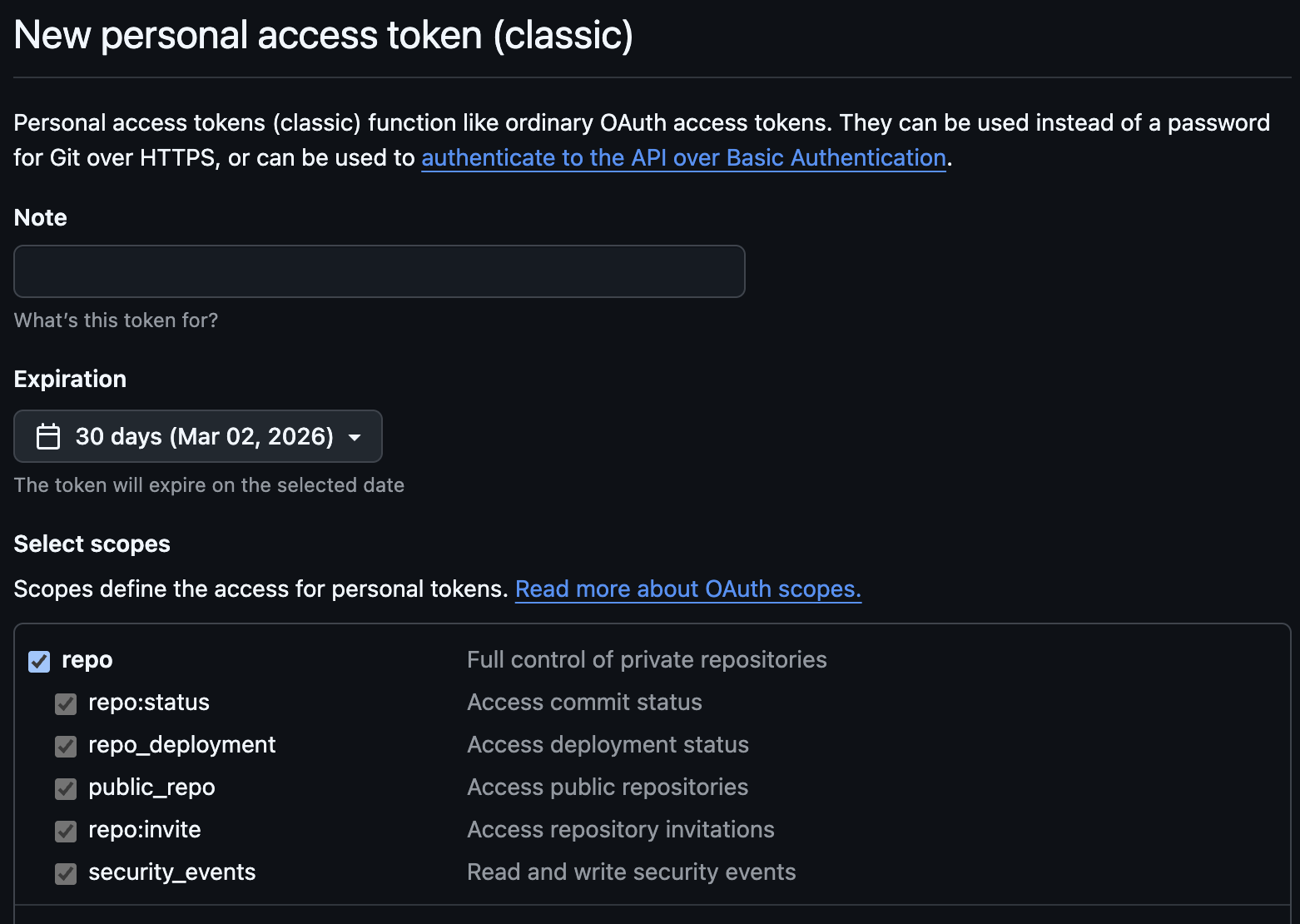
repo만 클릭하고 생성하였음.
하단에 generate token 버튼 누르면 토큰이 발급된다.
토큰은 한 번 발급받고 다시 못보기 때문에 메모장이나 노션에 적어놓아야 한다. 까먹으면 다시 발급받아야 된다.
3. labels.json 파일 생성하기
- 인터넷에 있는거 가져와서 썼습니다!
labels.json은 그냥 편한 곳 아무데나 생성해도 괜찮다.
vscode로 파일 생성해주었다.
[
{
"name": "⚙ Setting",
"color": "e3dede",
"description": "개발 환경 세팅"
},
{
"name": "✨ Feature",
"color": "a2eeef",
"description": "기능 개발"
},
{
"name": "🌏 Deploy",
"color": "C2E0C6",
"description": "배포 관련"
},
{
"name": "🎨 Html&css",
"color": "FEF2C0",
"description": "마크업 & 스타일링"
},
{
"name": "🐞 BugFix",
"color": "d73a4a",
"description": "Something isn't working"
},
{
"name": "💻 CrossBrowsing",
"color": "C5DEF5",
"description": "브라우저 호환성"
},
{
"name": "📃 Docs",
"color": "1D76DB",
"description": "문서 작성 및 수정 (README.md 등)"
},
{
"name": "📬 API",
"color": "D4C5F9",
"description": "서버 API 통신"
},
{
"name": "🔨 Refactor",
"color": "f29a4e",
"description": "코드 리팩토링"
},
{
"name": "🙋♂️ Question",
"color": "9ED447",
"description": "Further information is requested"
},
{
"name": "🥰 Accessibility",
"color": "facfcf",
"description": "웹접근성 관련"
},
{
"name": "✅ Test",
"color": "ccffc4",
"description": "test 관련(storybook, jest...)"
}
]
4. labels.json이 있는 폴더 경로에서 터미널에 해당 명령어 입력하기
나는 develop이라는 폴더 안에 labels.json 파일을 만들었기 때문에 해당 폴더로 이동하고 vscode 터미널을 열고 해당 명령어를 입력하였음.
github-label-sync --access-token [엑세스토큰] --labels labels.json [계정아이디]/[레포이름]
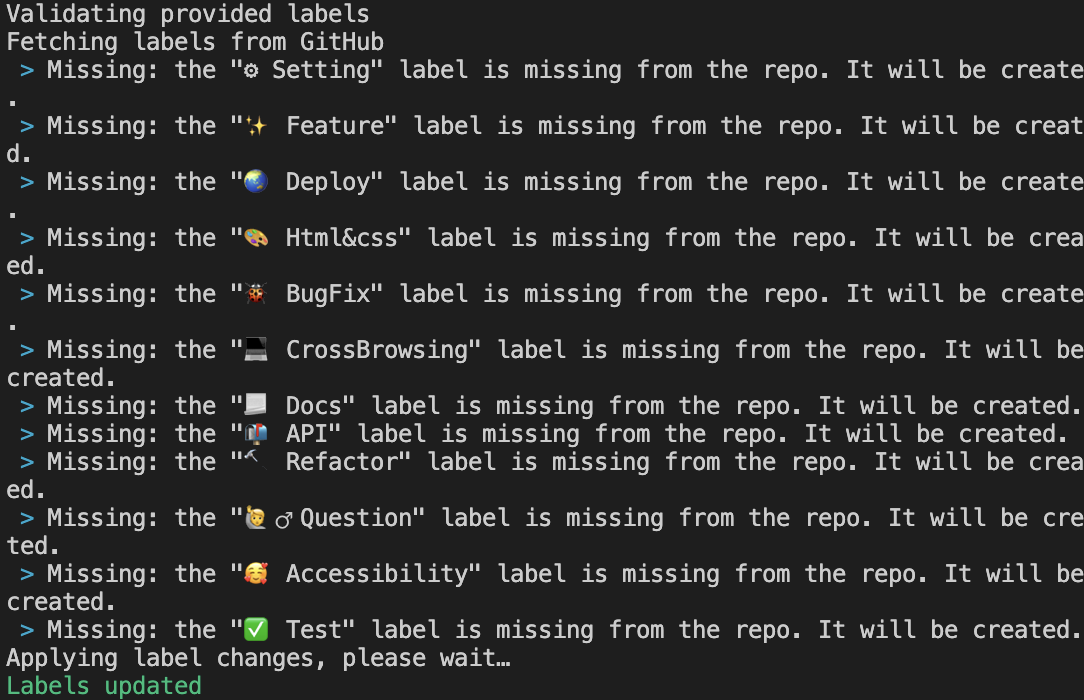
성공하면 터미널에 이렇게 뜨게 된다. 다시 깃허브 레포로 돌아가서 라벨을 클릭해본다면 제대로 적용된걸 확인할 수 있다!
Fine-grained token으로 access token을 발급 했을 경우 나와 같은 경우가 생길수도 있으니 참고


'DevLog' 카테고리의 다른 글
| [BE devlog] FAERS 약물명 정규화 작업 (1) | 2026.03.23 |
|---|---|
| [BE devlog] FAERS 약물명 통합 쿼리 최적화 (0) | 2026.03.21 |
| AWS S3 + Presigned URL로 PDF 다운로드 구현하기 (0) | 2026.01.19 |
| [BE devlog] React로 관리자 페이지 분리 후 발생한 CORS 이슈 해결하기 (0) | 2025.12.04 |